最近两天发现,Chrome(版本 72.0.3626.109)中,Proxy SwitchyOmega(2.5.20)不能使用本地PAC文件了。具体表现为选择PAC模式,打开网页时显示如图:
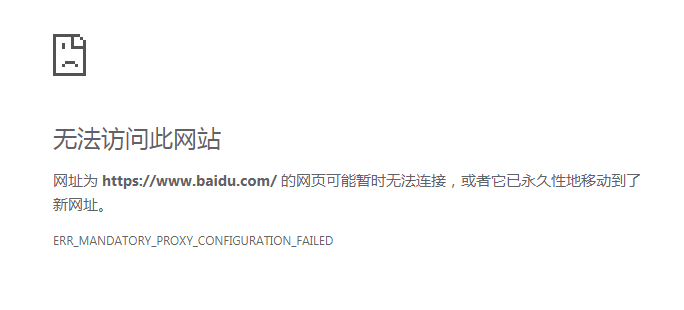
用谷歌搜索上述提示信息,发现了ERR_MANDATORY_PROXY_CONFIGURATION_FAILED #1474,lewixliu 在回复中写道:
Seems it destn't work for --proxy-pac-url setting "file:///xxx" and "data:...", but works for "http://ip/xx.pac".
So here's a workaround, which cannot update web page list automatically.
1. export the pac script file.
2. run a web server, and put the pac file in web server.
3. disable the extension or switch to system setting.
4. run with: chrome --proxy-pac-url="http://ip/xx.pac"
I tried the workaround on one PC, it works, but didn't try more.
@FelisCatus, If "--proxy-pac-url" not support "data:..." any more, it there other way to set proxy?
于是我把 proxy.pac 放在VPS的 /var/www/html 目录中,并在“PAC 网址”填入 http://VPS的IP\proxy.pac,再点击“立即更新情景模式 ”。这样就可以正常使用PAC模式了。

仔细观察之后,发现 Proxy SwitchyOmega 的配置页面显示:“如果您使用本地PAC文件,则该情景模式只能单独使用,无法作为自动切换的结果。这是因为浏览器不允许读取本地文件。”(SwitchyOmega 的代码中有这句话) 这正和上面 lewixliu 的说法一致。

你应该注意到了,上面点击“立即更新情景模式 ”的时候,“PAC 网址”中的PAC文件内容就被读取到了“PAC 脚本”,因此,如果没有VPS,那么不填写“PAC 网址”而直接在“PAC 脚本”填入PAC文件的内容,仍是有效的。
另外说一下,至于通过百毒搜到的以管理员权限执行 netsh winsock reset 再重启电脑的说法,纯属无稽之谈。毕竟同一台PC上其他浏览器就不存在这个问题。
特把这个过程记录下来,希望对和我遇到相同问题的人有参考价值。