I promised in my introduction to publish the animation of my bachelor thesis and here it is! I want to give you some short side information about the process of the animation, which are not meant to be a documentation or a „How-to" description, because this post would then never end. But I hope I can give you some insight. :)
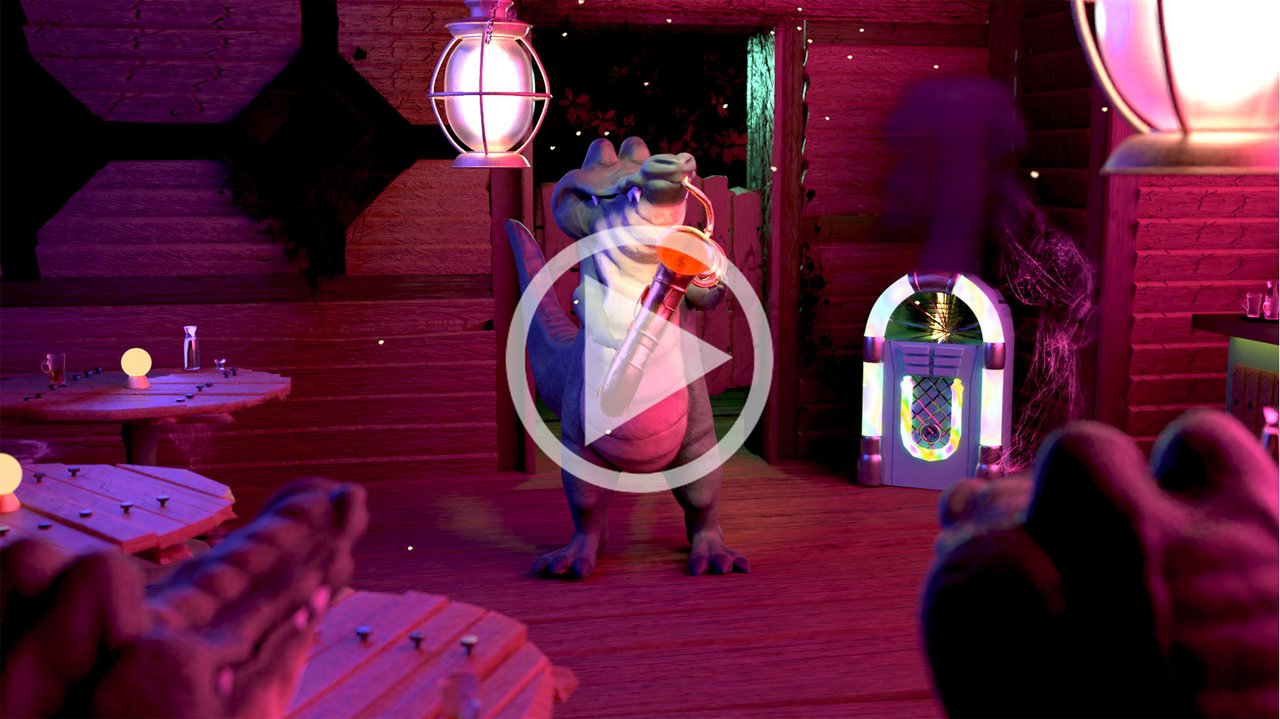
This scene shows Charlie in the hangout spot of the other gators. A bar with the look of a cabin, with the interior displaying stand tables, a counter, a jukebox and different lighting.
The glas of the jukebox is shattered, because Charlie smashed the jukebox after his entrance to silence the bar. The smoke should enhance the destroyed look and make the scene more interesting. I decided to use one camera shot to concentrate on Charlie's Performance for this rendered scene. The final animation will display a different look and edit.

My University provides a Motion Capture Studio with the Sotware *Motive* from OptiTrack. In the end I did't really use much of the animated rigg, because the movement of the arms and the head did't work so well with the saxophone. So I created new Keyframes, only rotating the Joints from the head, the spine and the shoulders at once, so I could achieve a smooth movement. If you are interested, I can give a detailed explanation how to track a person and how to export the file and import it into another 3D software. In my case, I exported the animation as bvh-files, and later retargeted the joints of the mocap-rigg to the joints of the rigg, created in Blender.

*SheepIt!* is a free render farm for Blender. That means a group of connected computers will complete the render for/with you. As it says in the FAQ: Instead of having a single computer work for 100 days, you can have 100 computers work for 1 day. When the owner of a project adds their scene to the jobs to queue, the service splits the animation into single frames to render, sends each frame to a connected computer and aims to optimize its choice based on the available memory, as well as the CPU/GPU power. While you render for others you earn points. These points determine which rank in the waiting list of projects you will have. If you let others render for you, you lose points. I wasn't really sure how many points I needed to get a fast result- I had to meet the deadline. So I used the computers of my Uni, logged into each computer, launched the client and rendered other projects over night. Your project will always be rendered first, if you choose so in the settings, but I wanted to collect some points before rendering my project. It's not really necessary, but for me it was a great way to gain points really fast.
I hope you enjoyed my animated scene and the story behind it. I am currently finishing the complete animation and trying to improve the look, as this was my first animation. So please stay tuned!
Thanks for reading!
xxx.
Edit: I just noticed, that DTube only portrays videos in 480p and also in a slightly different color tone.
▶️ DTube
▶️ IPFS