 [src](https://www.google.com/imgres?imgurl=https%3A%2F%2Fgriefpoetry.files.wordpress.com%2F2017%2F04%2Fday-6.png%3Fw%3D820&imgrefurl=https%3A%2F%2Fgriefpoetry.wordpress.com%2F2017%2F04%2F06%2Fdiary-entry-day-6-memoirs%2F&tbnid=Luy-LMOyH7tNyM&vet=12ahUKEwiFxK2C6NjpAhVYARQKHQZSD3UQMygXegQIARBN..i&docid=WkDqBC0cbNrwgM&w=256&h=256&q=day%206&ved=2ahUKEwiFxK2C6NjpAhVYARQKHQZSD3UQMygXegQIARBN)
- Code Refactoring
- Creating Modules In Python
- Send ALGO Token From Account A To account B To C.
- Check Account' Status.
As an upcoming Algorand developer, using Python for writing smart contract , you will find this resource useful as you progress in your programming endeavor/career. What cannot be taken away from you is the fundamental knowledge you will gain and its right application. Before we proceed to another topic, we will need to refactor our previous codes.
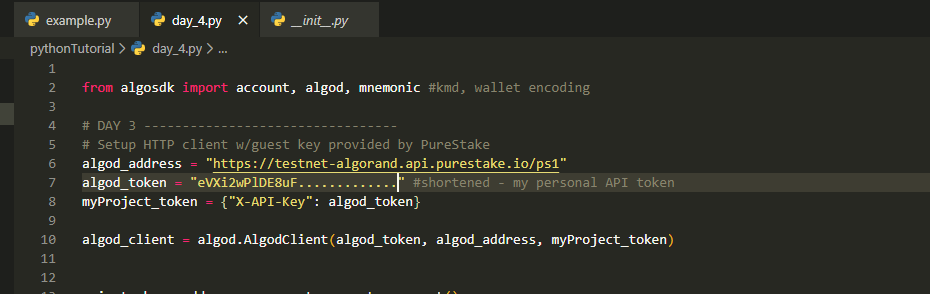
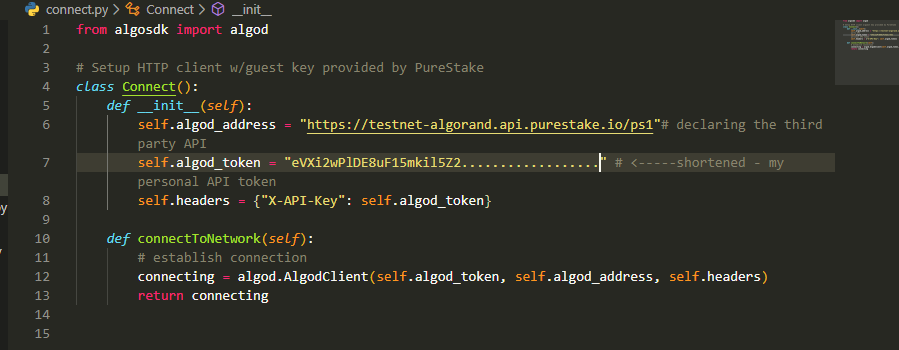
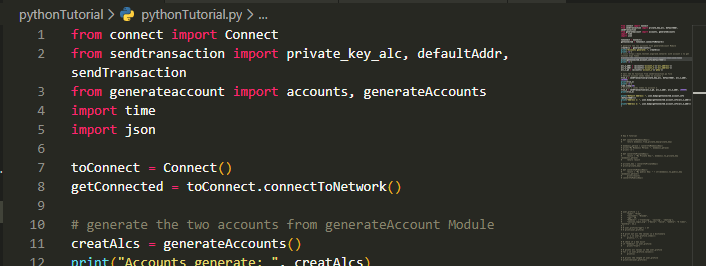
Notice that I have changed the previous file name from day_4.pyfile to pythonTutorial.py so you don't get confused. In pythonTutorial.py, we imported the module connect and from it, we are able to access connectToNetwork() function. So far so good, the behavior of our program has not changed but for the code, therefore, refactoring can be said to have taken place.
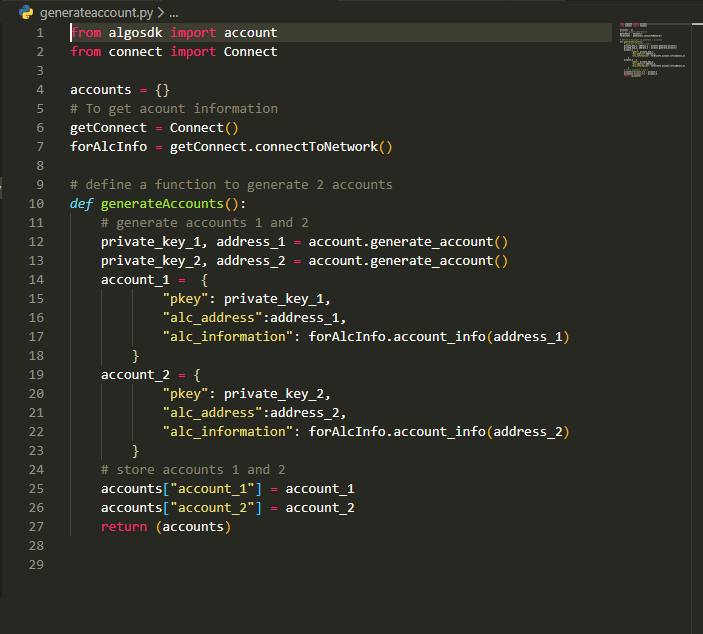
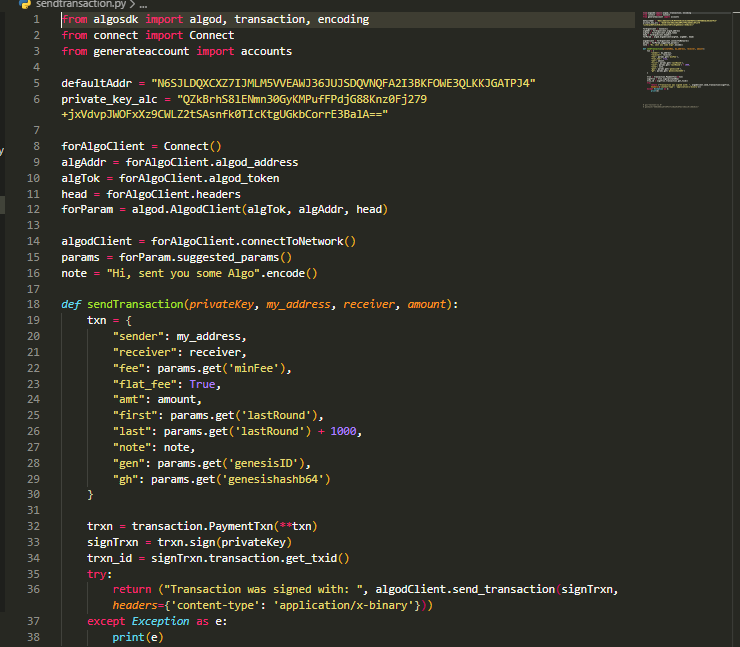
From
line 1, we imported modulesalgod,transaction,encodingfrom algorand SDK,Connectfrom self-created moduleconnect.pyfile andaccountsfromgenerateaccountsfile.Set a default account from which we will initiate a transfer to
account_1, from there toaccount_2, and its private keyprivate_key_alcto approve Algo transfer.Lines 8 to 12 for use in
line 15allowing the network to suggest transaction parameters. Check resources for more information on transaction fields.Activate network connection -
line 14.Inside
sendTransaction()function,txnis a type dictionary encompassing suggested parameters will be returned by the network including ones we defined ==> (my_address,receiver,amountandnotefields). We will get the defined parameters as at when the function is called - a simple hack for auto-dual transfer between 3 accounts.trxnprepares and encode the required transaction data. Notice trxn is preceded by double asterisks? In Python, it is a way of taking in arbitrary arguments or object with several properties. It is usually represented in parameter as**kwargs.signTrxnsigns the transaction with account's private key. Remember, we are expectingprivatekeyas input.trxn_idgets transaction ID.In the
tryblock, we provide for error that may be encountered while sending transaction.
Note: Argument headers is essential if you are using a third party API service such as Purestake.
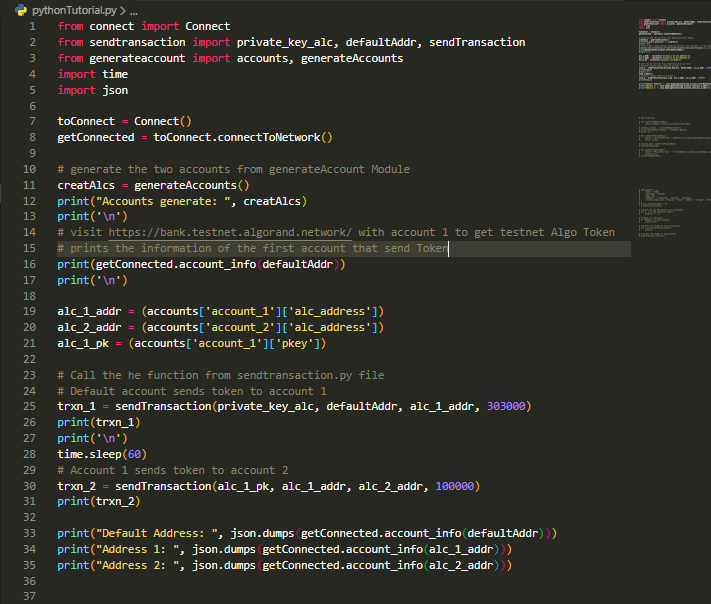
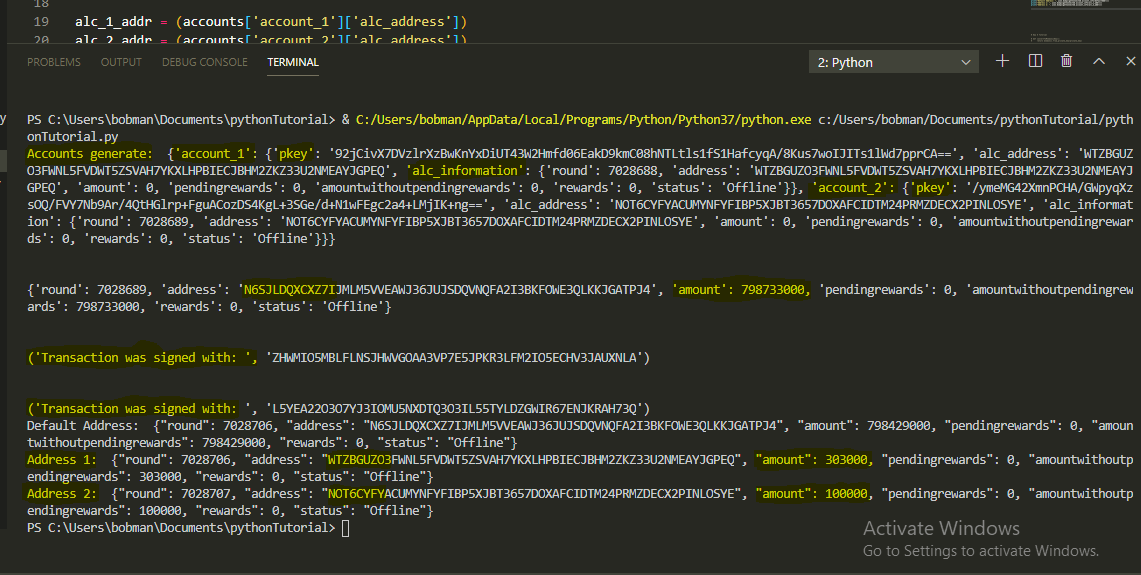
In Fig.5, we execute all other files/modules.
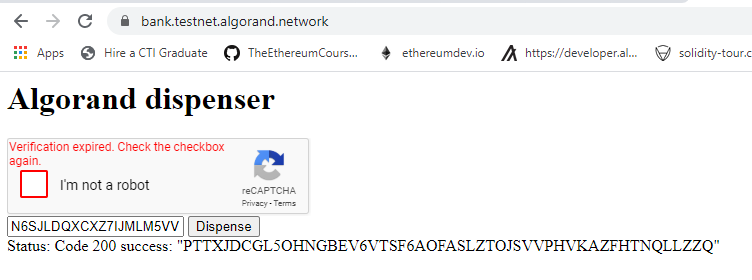
Lines 11,12and13callsgenerateAccounts()function,prints the result to the consoleandprints an empty line.16prints account information of default account from which we will initiate the first transfer.19gets address of generated account_1, stores it inalc_2_addr.20gets address of generated account_2, stores it inalc_2_addr.21stores private key of account_1 since we will send token to account_2.trxn_1callssendTransaction()initiating the first transfer, and we parsed into it expected arguments -privateKey,sender,receiverandamount. Next, print the result.Line 26saves us the time for writing code for waiting for confirmation before we send the second transaction inline 30. On Algorand, block finality are swift standing between 4 to 8 seconds. We need time to wait for the first transaction to confirm before initiating another transfer fromaccount_1hencetime.sleep(60). Notice we import time module on the top of the file -line 4. Argument60passed intosleep()function is inn seconds so we would have enough time for the first transaction to confirm before the next transaction is executed33,34and35prints current status of all accounts in this context. Below you can read from the output.